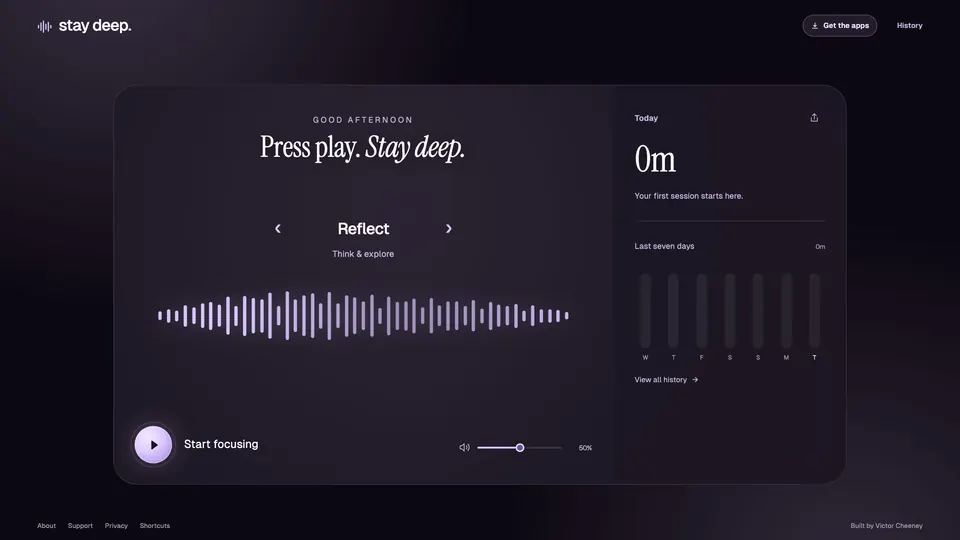
Stay Deep

A small music app to help me focus.

Visit Stay Deep

I like having focus music in the background when I work. I used to go to YouTube to find a track, put it on, and get started.

One morning, I thought I could build a small app for myself that played the music and tracked my work sessions. I liked the idea of looking back at the end of the day and seeing how much time I’d put in. That felt motivating, and it became the starting point for Stay Deep.

Stay Deep with Cadence selected and my imported history: 3h 20m today and 30h 40m over the last seven days.

Stay Deep with my session history, September 20, 2026.

Finding the right soundtrack

I started by generating focus music with ElevenLabs. Then I got curious about running a music model locally. I’d already used local AI for transcription, but this was my first time generating music locally.

Generation made my Mac mini sluggish, so I moved those jobs to my MacBook over SSH through a Thunderbolt connection. A hosted API would have been simpler, but I wanted to experiment with hardware I already had. I could start a job from my Mac mini and keep working while the MacBook generated the audio.

The recordings needed some editing before I could use them as background music. Intros and fading outros left a noticeable break when a track repeated. I trimmed them and blended the end into the beginning with a crossfade, then checked the join in the app.

Listen to the tracks

Each link opens Stay Deep with the track selected. Press play when you’re ready.

How the tracks were made

Reflect: ElevenLabs Music v2. Generated through ElevenLabs. I kept a sustained passage from the recording and blended the end into the beginning to make the 24-second loop used in the app.

Grounded: Stable Audio 3 Medium, running locally with MLX.

The original recording is five minutes long. Its loop version trims the opening and fading outro, then crossfades the join. That’s the version you can hear in the app.

I’m still experimenting with different models, but I’m happy with the tracks I’ve made so far. They work well for the music I want in the background.

Experimenting with the background

I also wanted to experiment with animated backgrounds. I used VGPU from Vercel Labs, a WebGPU library, to create the movement behind the player. The background changes with the selected track. It stays still when reduced motion is enabled, and falls back to a CSS background when WebGPU is unavailable.

Purple waves from Stay Deep’s animated background.
The animated background from Stay Deep.

How I built and shipped it

React and TypeScript handle the interface. Vite builds the app, and Cloudflare Pages serves it.

A browser-first app

Session history stays in browser storage, so listening and recording sessions don’t require an account. A service worker and a separate audio cache keep the app and downloaded tracks available offline, as long as the browser retains them.

Web Audio schedules loops on the browser’s audio clock to keep the music continuous. It also supplies the audio data for the waveform in the player.

Versioning and deployment

I keep the code in GitHub and document releases with version numbers and release notes. Those notes record what changed, how it was checked, and how to recover the previous version.

Cloudflare Pages builds from the main branch using locked dependencies. Its build command runs the project’s type checks, tests and production build before publishing. GitHub Actions also runs verification and browser tests.

Testing and recovery

Browser tests cover playback, offline listening and moving saved history between the old and new app domains. Those tests use disposable browser profiles, so they don’t touch my own sessions.

The app can export and import a history backup. If a release needs to be rolled back, I can restore an earlier deployment without clearing the history stored in the browser.

Have a website or software project in mind?

Let’s talk.

Contact me