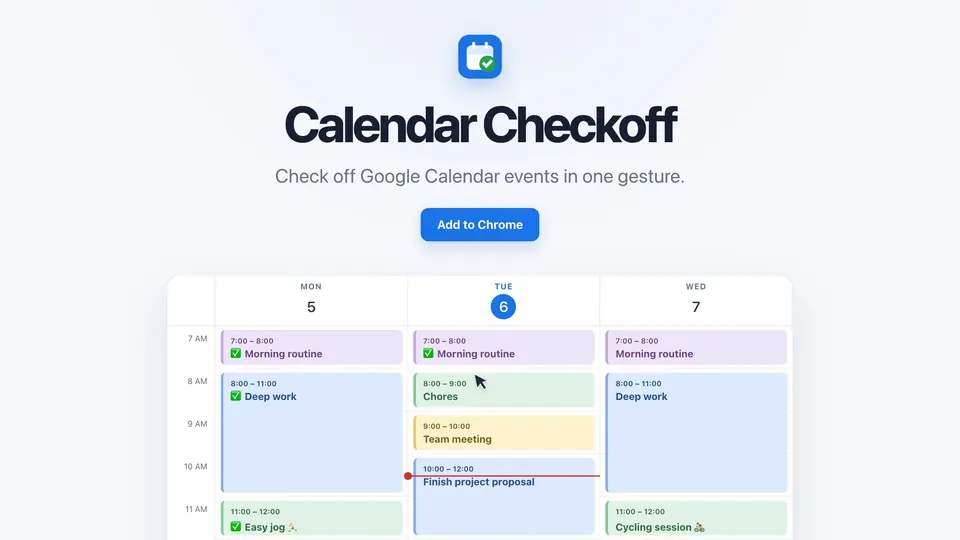
What was the problem?
Sometimes I use Google Calendar as my to-do list. I like having time blocks, where I know I have to focus on one thing. Sometimes I prefer a paper list, but for time-blocked work, I like having it right in the calendar. I used to turn events grey when I finished them. That marked them done, but it erased the colours I use for categories, so looking back, everything was grey.
What was the idea?
Mark an event done with a check in its title, so it keeps its colour. And make it one gesture: hold Option (Alt on Windows) and click the event.
What did I build?
I built it as a Chrome extension, because I use Google Calendar in Chrome, and the check had to happen right on the calendar. It edits the title through Calendar’s own page, not the Calendar API, so it needs no access to my Google account. Each new version goes to the Chrome Web Store.
Calendar Checkoff. When you Option-click an event: the extension, running on the Google Calendar page in Chrome, adds a checkmark to the title the same way you would edit it, and Google Calendar saves it. It uses no Calendar API and no access to your Google account; it stores only its settings, locally. Release and update: a version tag starts GitHub Actions, which builds and audits the ZIP and uploads it to the Chrome Web Store; Chrome installs it.
What happened?
Right now, I mostly keep my priorities on a paper to-do list, kept short so it stays manageable. But whenever I use my calendar as a time-blocked to-do list, I use Calendar Checkoff.
The goal of this project was to ship something end to end: find the problem, come up with the idea, build it, publish it on the Chrome Web Store, and make a website for it. It was my first published Chrome extension. I kept it small on purpose: the job is small, and there was no reason to make it more complex.