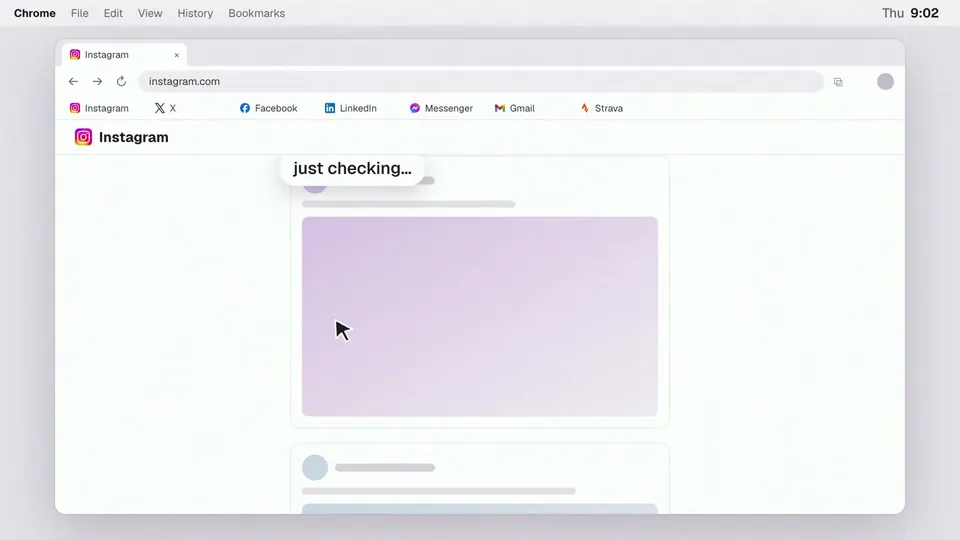
I use social media to keep in touch with friends and family. I want to keep those connections, but I don’t like the addictive features that keep pulling me back.
I would check Facebook, move to Gmail, then Instagram, and end up back on Facebook a few minutes later. I had already caught up, yet I was opening the same sites again out of habit.
I built Bounded Socials, a desktop Chrome extension that lets me choose times to check those sites. When I visit outside those times or return to a site I’ve already checked, it shows a reminder and gives me a way back to my day. I can still continue when I need to.
Choosing when to check
I choose which supported sites to include and set periods for checking them, such as lunchtime or the evening. The extension calls these periods “windows.” The idea is to check each selected site once during a window.
The reminder shows my schedule and how much time I’ve spent on those sites today. If I’m outside a window, it also shows when the next one starts.
I can leave with “Back to my day” or open the site with “Continue intentionally.” Both actions are available immediately.

Knowing when I am done
A number on the extension’s icon in Chrome’s toolbar shows how many sites I have left to check in the current window. When they are all handled, it becomes a green checkmark.
For me, the checkmark is a reminder that I’ve caught up and can move on. I have a stopping point for that window, instead of reopening the same sites to see whether something new has appeared.

Removing the countdown
An earlier version made me wait thirty seconds before continuing past the reminder. It also offered a faster “continue for work” option.
I took the work option even when my reason was not work, because it was quicker. The wait did not help me reflect, and it got in the way when I did need the site.
I removed the work option and the countdown. Now I can continue straight from the reminder with “Continue intentionally.”
Two weeks of daily use
I refined the extension over about two weeks while using it every day. When something felt wrong, I changed it with AI and tried it again.
I was using the same local copy I was changing, which could be disruptive. Sometimes I would open a site and get a blank screen while I was rebuilding the extension.
As the extension started doing what I needed, I made fewer changes and felt ready to release it.
When I go back
The reminder helps me notice repeat visits, but I still sometimes click through automatically.
Sometimes I have a reason to go back. While I was selling things on Facebook Marketplace, I wanted to answer messages from buyers. I kept “Continue intentionally” easy to reach for those visits.
How it is built and released
The interface uses React and TypeScript. Vite builds the extension package, which uses Manifest V3, Chrome’s extension format.
What it stores
The extension saves settings, visits, and which sites have been checked in Chrome’s local storage. It works without an account. I don’t collect browsing activity or run a server for the extension.
It supports seven sites: Facebook, Messenger, Instagram, Strava, Gmail, LinkedIn, and X. Its site permissions are limited to those services. It also asks Chrome for storage and alarms permissions to save data and run scheduled maintenance.
Releases and recovery
Before a release, I run the project’s checks and build the extension from a clean copy of the source code. The packaging script gives the files consistent timestamps and puts them in a fixed order, so the same build produces the same ZIP.
I record the source commit and the package’s checksum for each version so I can match the uploaded file to the code it came from. Uploading the ZIP and submitting it to Google for review are separate steps. I keep the previous working version available for recovery if an update causes a problem.
The extension is on the Chrome Web Store.